Instagram Collab Posts are a great way to increase reach and engagement by sharing a single post with multiple accounts. On our platform, you can easily invite collaborators when creating content. This guide will walk you through step-by-step.
What Are Instagram Collab Posts?
Collab Posts allow two or more Instagram accounts to share the same post. The post appears on each collaborator’s profile and feeds, meaning all likes, comments, and engagement are shared across accounts.
This feature is ideal for:
Partnerships with other brands
Influencer collaborations
Team or multi-account marketing strategies
How to Create a Collab Post
Go to the Content Library
Navigate to your Content Library.
Click on Create Content and select Post.
Review the Pixel Preview
A Pixel Preview will appear, showing you how your post will look when published.
Click on the Instagram preview section.
Add Collaborators
Under the Instagram preview, look for the Collab icon (a person with a plus sign).
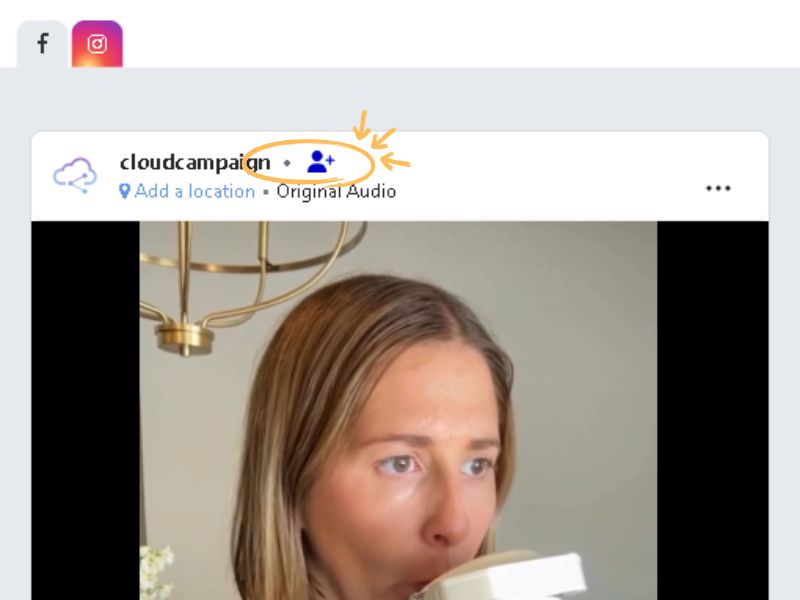
Click the icon, and a Manage Collaborators pop-up will appear.
You can invite up to 3 collaborators.
Enter Instagram Profiles
In the pop-up, click Add an Instagram profile
Please note:
Instagram does not allow searching personal accounts, but you can still add them manually.
Invites will not work for private or age-restricted accounts.
You can use the "Verify account" option to validate personal accounts.
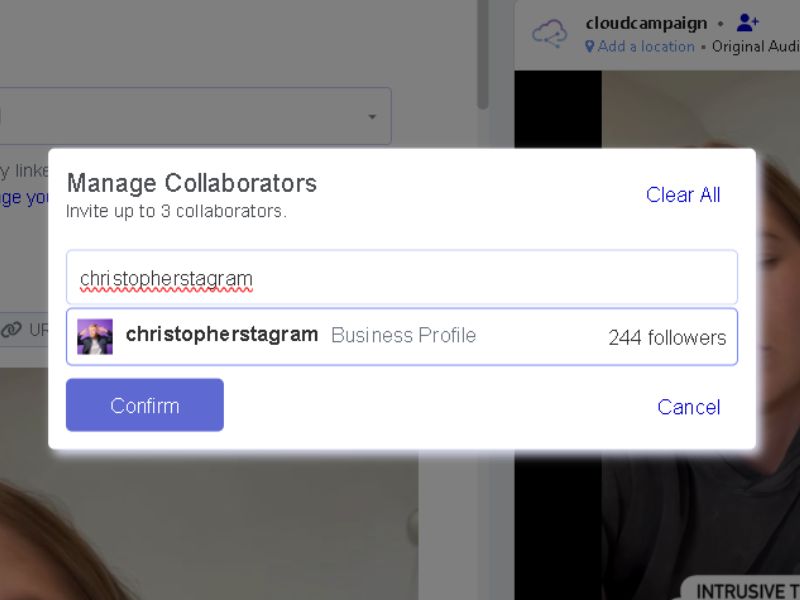
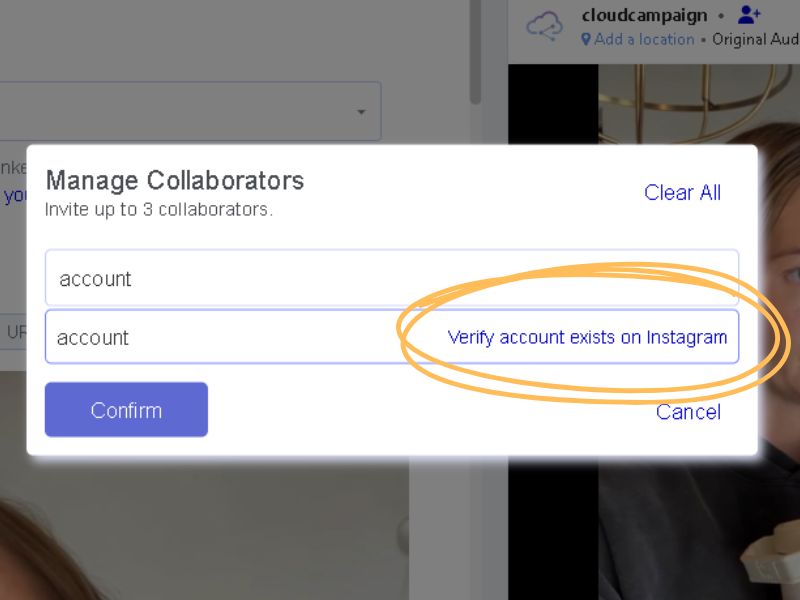
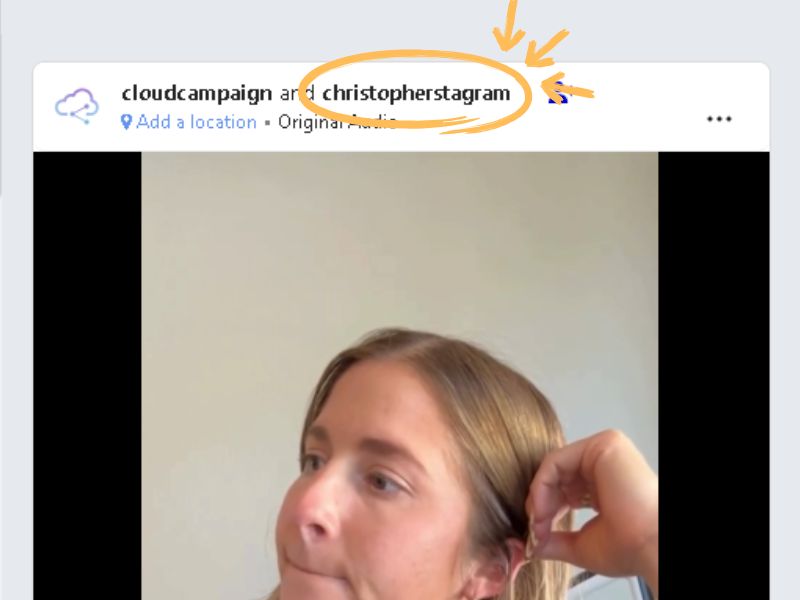
Send the Invitation: Once you select the account, the invitation is sent. The other user must accept the invite for the collaboration post instagram to go live on their profile
Finalize Your Post
Once collaborators are added, finish editing your post as usual.
Schedule or publish, and your collab invites will be sent.
How to Accept an Instagram Invite Collaborator Request
If someone has invited you to a collaboration post Instagram, here is how to accept the invitation so the post appears on your profile.
- Check Your DMs: You'll receive a direct message notification from Instagram about the collaboration invite.
- View the Invitation: Open the DM to see the invite and a preview of the post.
- Accept the Invitation: Tap "Review" and then "Accept."
The post will then instantly appear on your profile.
Important Notes
Collaborators must accept your invite in order for the post to appear on their profiles.
You can invite up to 3 collaborators per post.
Posts with collaborators share the same engagement across all accounts.
Why Use Collab Posts?
Collab posts are a powerful way to:
Expand your audience by leveraging partner accounts.
Boost visibility and engagement.
Create authentic, co-branded content.