A Brand Profile is a powerful way to help our AI tools better understand your business. By filling out your Brand Profile, you ensure that content generated by CaptionAI and replies in your Social Inbox reflect your brand’s unique style, voice, and target audience.
The more information you provide, the more consistent, accurate, and on-brand your content will be.
How to Access Your Brand Profile
From your Cloud Campaign dashboard, click the gear icon in the top-left corner.
Select the Brand Settings tab.
Scroll down until you see the Brand Profile section.
What You Can Add to Your Brand Profile
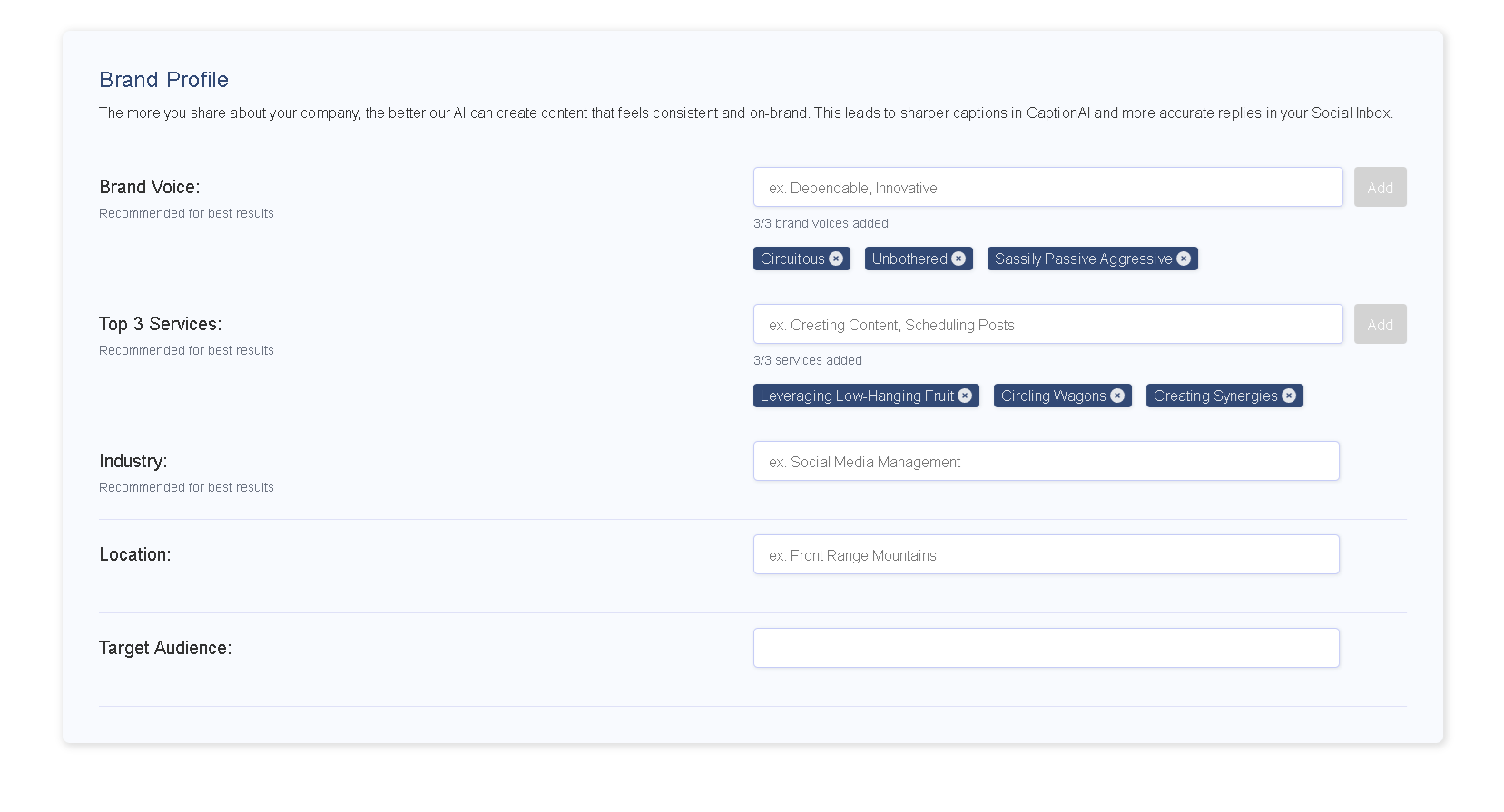
Within the Brand Profile section, you’ll see several fields you can fill out:
Brand Voice: Add up to 3 brand voices that represent your company’s tone (e.g., professional, casual, playful).
Services: Add up to 3 services that describe what your business offers (e.g., residential plumbing, commercial HVAC, emergency repairs).
Industry: Select the industry your brand operates in (e.g., real estate, restaurant, fitness, healthcare).
Location: Enter your business’s location (City, State/Province, Country).
Target Audience: Describe the audience you want to reach (e.g., small business owners, fitness enthusiasts, parents).
Once these fields are completed, that's it! Our AI algorithms will automatically leverage this information whenever an AI-powered tool is used, ensuring a higher level of relevance and customization.
Why Fill Out a Brand Profile?
Completing your Brand Profile gives our AI the context it needs to generate high-quality, on-brand content. This leads to:
Sharper captions with CaptionAI.
Smarter, more accurate replies in your Social Inbox.
Consistent messaging across all your content.
Best Practices for Brand Profiles
Be as detailed as possible — more context helps the AI generate better results.
Update your Brand Profile whenever your services, audience, or voice changes.
Use the Brand Voice field to set the exact tone you want your content to reflect.